K-12 Vendor Management

Fill every classroom.
Manage every agency.
From one place.

SchoolSource VMS connects districts, MSPs, and staffing agencies in a single system — from job order to signed confirmation of assignment to approved invoice.

Purpose-built for K-12 — school years, terms, and district calendars, not generic contract staffing.
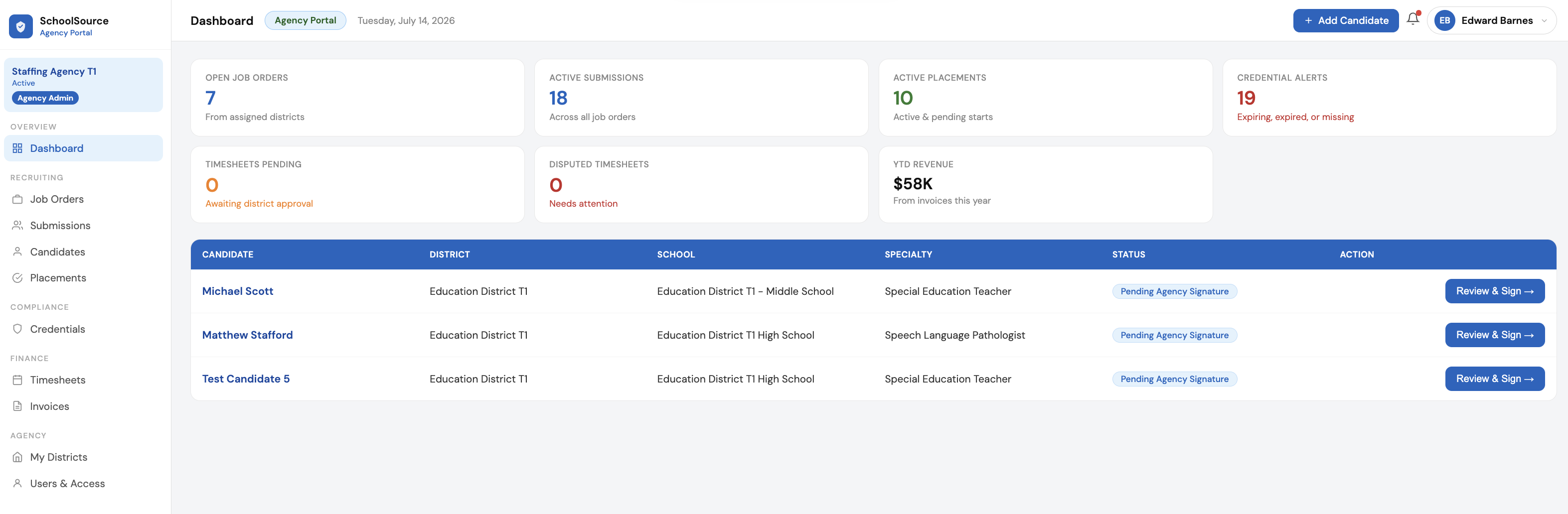
SchoolSource VMS dashboard showing open job orders, active submissions, active placements, and credential alerts
Built for K-12
Real-time sync
Paperless COA
Credential compliance
MSP & district-direct
The problem

Staffing a district shouldn't live in a spreadsheet

Most districts run vendor management across email threads, shared drives, and phone calls — and lose the record every time someone leaves.

Vacancies stay open

Job orders scattered across agencies mean slow submissions, missed candidates, and classrooms without a teacher in week three.

Rates drift, margins vanish

Without one system of record, bill rates and MSP fees get negotiated in email and reconciled by hand at invoice time.

Credentials lapse quietly

A clinician's license expires mid-assignment and nobody knows until the district asks — a compliance problem and a billing problem.

The platform

One record, every party, start to finish

Districts post. Agencies submit. MSPs manage the middle. Everyone works from the same live record.

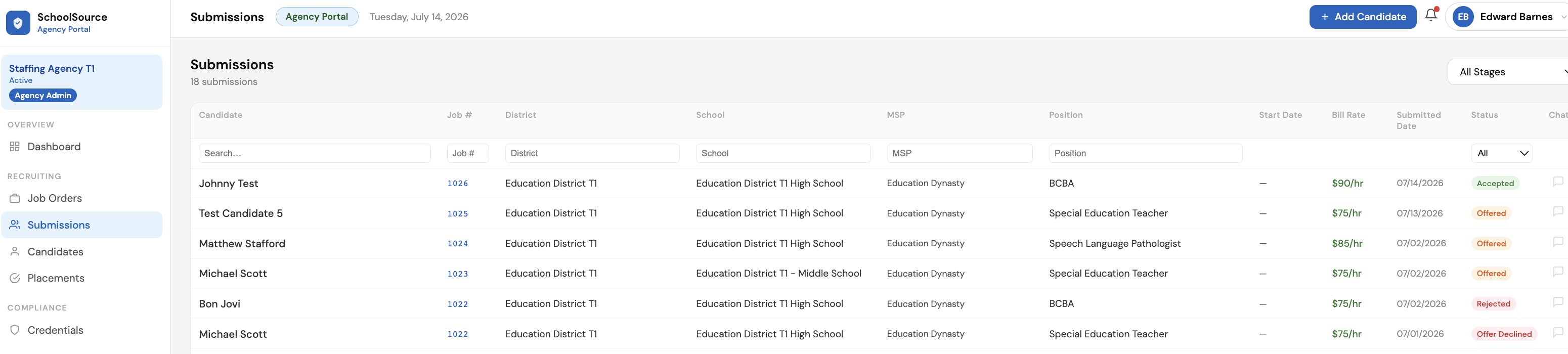
End-to-end supplier interaction

Post a job order, receive submissions from your agency pool, make an offer, sign the confirmation of assignment, and create the placement — without leaving the platform.

  • Distribute one job order to every assigned agency at once
  • Track every candidate through a shared submission pipeline
  • Counter, revise, and countersign the COA with a full version history
Submissions pipeline showing candidates, districts, schools, MSP, bill rate, and status across every agency

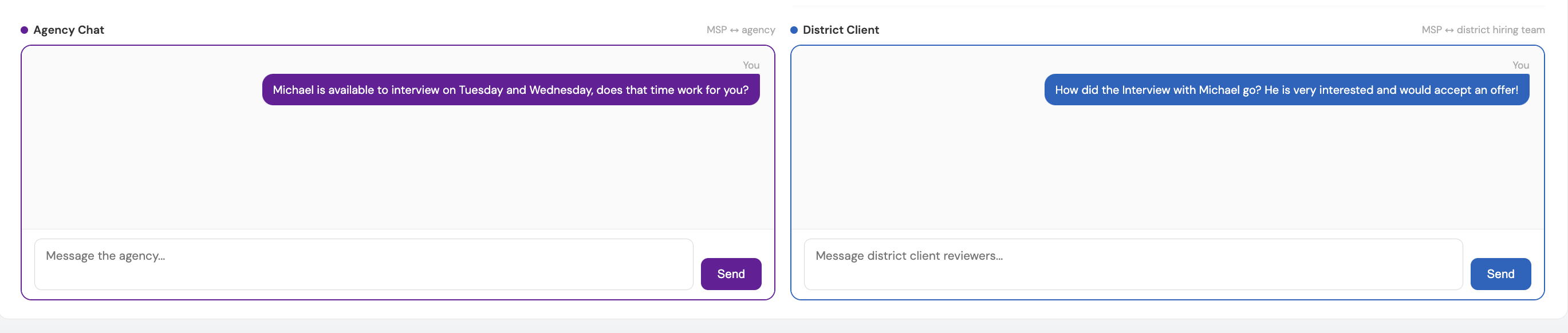
Talk to every party without leaving the record

Agency, district, and MSP conversations live on the submission itself — side by side, in context. No forwarded threads, no lost history when someone changes jobs.

  • Separate MSP ↔ agency and MSP ↔ district channels on one screen
  • Every message attached to the candidate it's about
  • The district never sees the agency thread, and vice versa
Two chat panels side by side: an MSP to agency conversation and an MSP to district hiring team conversation

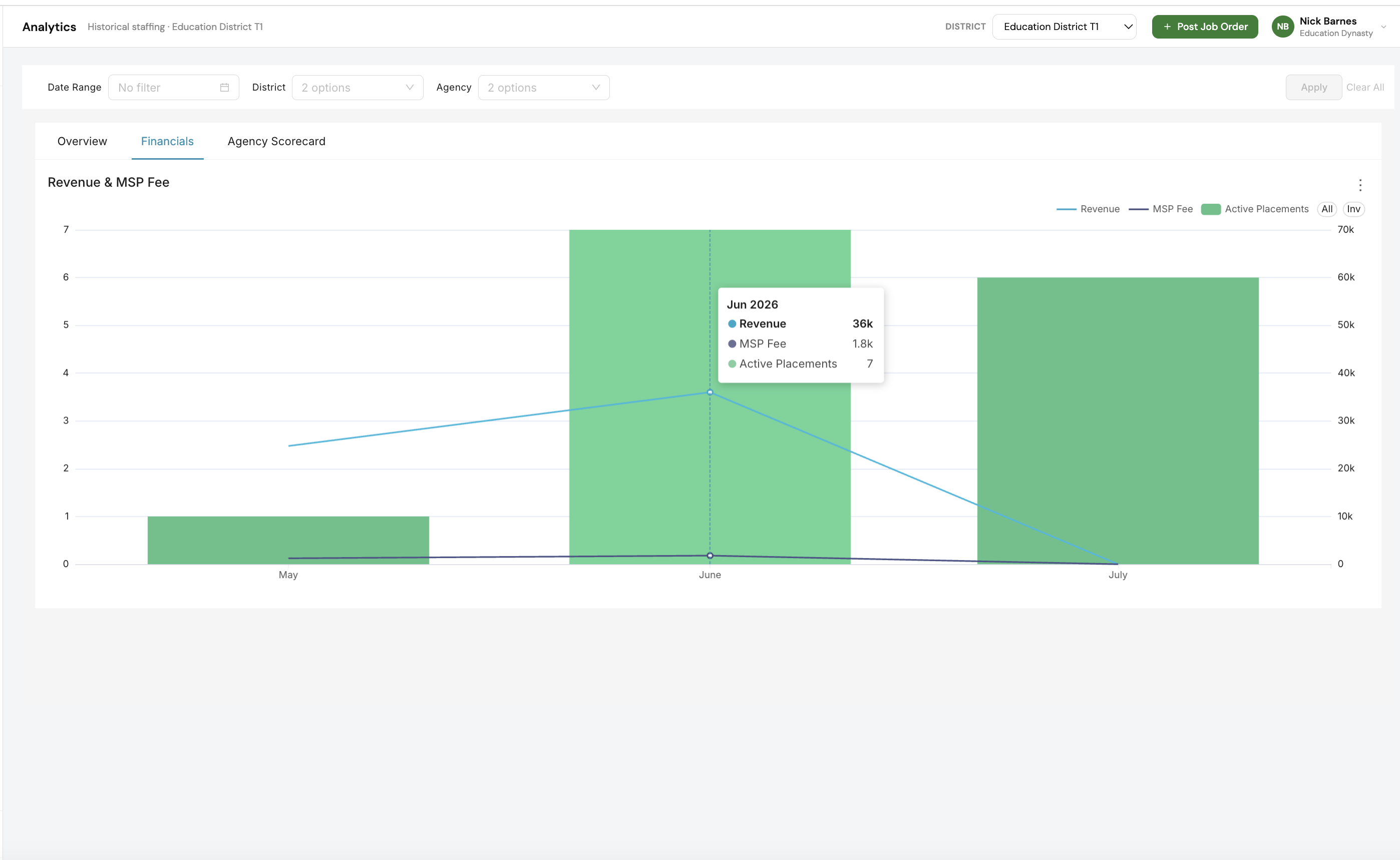
Analytics

Revenue, MSP fees, time to fill, and agency scorecards — scoped to your organization and updated from live data, not a monthly export.

  • Revenue and MSP fee trended against active placements
  • Filter by district, agency, and date range
  • Agency scorecards to see who actually fills your reqs
Financial analytics chart trending revenue and MSP fee against active placements by month

Credential management

Every placement carries its own requirement list, pulled from the job order. Track what's on file, what's expiring, and what's missing — before it becomes a compliance problem.

  • Requirements copied from the job order at placement
  • Agencies upload; the district or MSP approves
  • Expiring, expired, and missing surfaced on every dashboard
Credential tracking grid showing requirement status and expiration dates per placement
Also included

The rest of the workflow, handled

Timesheets

Contractors submit weekly hours from any device. Districts approve. Nothing gets keyed twice.

Invoicing

Approved time becomes an invoice with the MSP fee already calculated. Download a clean PDF.

Digital COA signing

Send, counter, revise, countersign. Every version kept, every signature timestamped.

Multi-district MSPs

Run several districts and an agency vendor pool from one login, with data scoped per client.

School-year aware

Terms, school years, and district holiday calendars carry through to the assignment.

Role-based access

Every user sees only their organization's data, down to the permission.

How it works

Job order to invoice, in four moves

STEP 1

Post the job order

The district or MSP posts a req with rate, school, term, and credential requirements.

STEP 2

Agencies submit

Your assigned agency pool submits candidates against the same live req.

STEP 3

Offer and sign

Send the confirmation of assignment, handle counters, countersign, and the placement is created.

STEP 4

Work and bill

Contractors log hours, districts approve, and invoices generate with the fee applied.

Who it's for

Three portals, one system of record

Whether a district runs its own vendor pool or hands it to an MSP, everyone works from the same data.

Districts

Fill roles without the phone tree

Post once, see every candidate your agencies submit, approve time, and keep credentials audit-ready.

MSPs

Run every client from one login

Manage multiple districts and an agency vendor pool, with fees, scorecards, and your own branding on the paperwork.

Agencies

Know exactly where you stand

See open reqs from every assigned district, track submissions in real time, and invoice against approved hours.

See it on your own reqs

A short walkthrough of the platform against the roles you're actually trying to fill. No slide deck.

Or email matt@schoolsourcevms.com